 Shadowrocket是iPhone中常用的一个代理客户端,一般简称小火箭(下文统称小火箭)。该软件是一款基于规则的代理客户端,主要面向 iOS 系统,允许用户通过代理服务器管理和路由互联网流量,从而增强安全性和隐私性,并访问受地理限制的内容。它通过应用自定义的域名匹配规则、IP 地址和地理位置,将流量引导至不同的代理服务器,并提供广告拦截、HTTPS 解密和各种代理协议支持等高级功能。虽然这款应用可以从 App Store 购买,但它并不直接提供代理;用户必须自行获取代理服务或 VPN 订阅才能使用该应用。
注意
该软件仅仅在非国区的app store上架,且售价为2.99$.因appstore可以在其他设备并下载已经购买的产品,所以这里我将会提供一个共享Apple ID的网站,请各位用户严格按照网站提示登录使用,避免被锁机。在使用该服务的时候遵循网站要求的规范是对其他人的尊重,你的错误操作(二次验证)可能会导致其他用户无法再使用该账号。
功能介绍
小火箭是一个支持代理协议和机场订阅的一个客户端,但并不是俗称的VPN软件。使用使用该软件进行网络代理前请准备好你的机场订阅链接,该链接将作为提供接入点的来源。
小火箭还可以通过导入他人做好的配置文件(.conf)来实现流量重写,主要应用是解锁流媒体服务,去广告。
基础使用方法
导入节点
通过机场网页导入
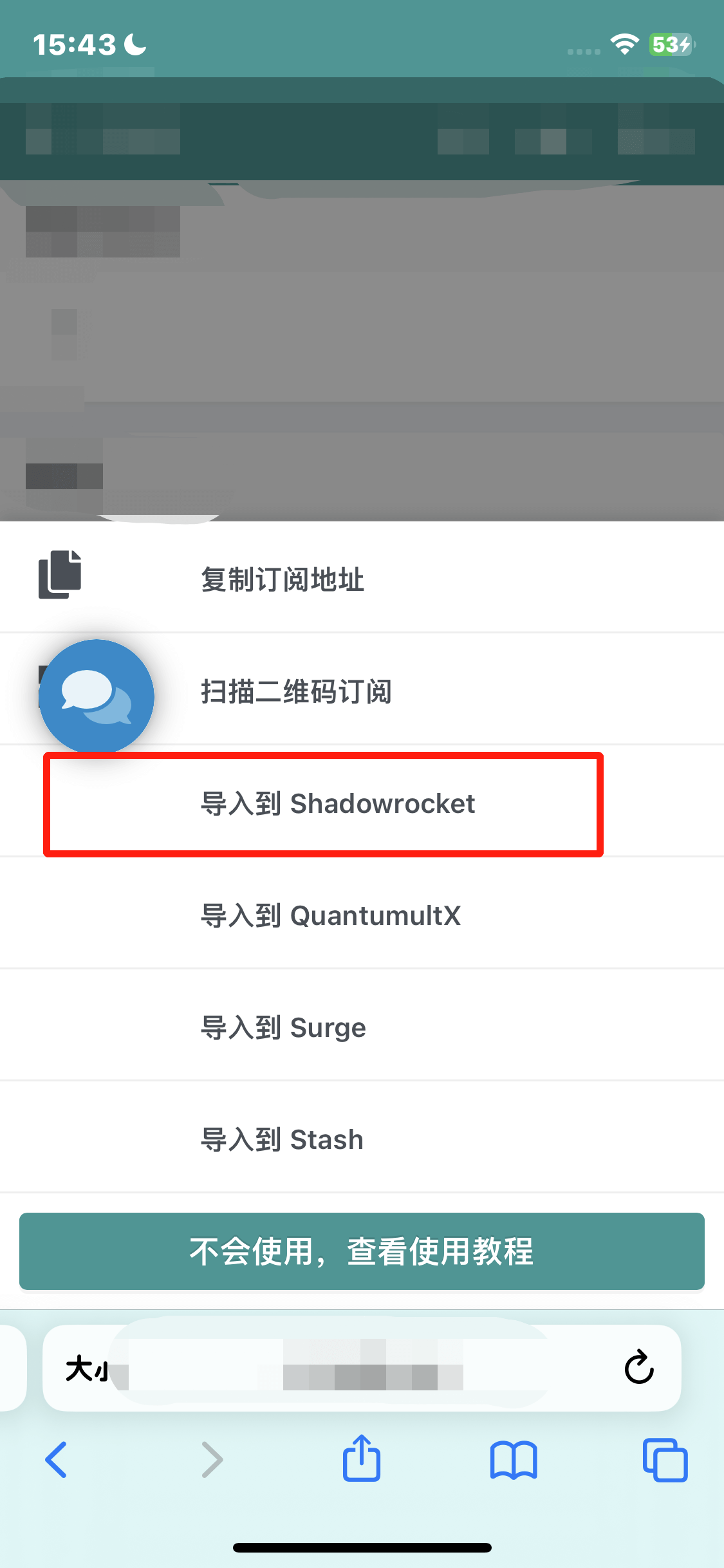
首先在【Safari】登陆到你买订阅的网站,在网站的主页会提示一个【一键订阅】,点击【一键订阅】后提示可以选择导入的项目,请选择【导入到Sadowrocket】。随后safari会提示是否打开Shadowrocket,点击允许即可成功导入订阅,在主页就可以看到已经导入的节点列表。
 |
 |
|---|
通过订阅链接导入
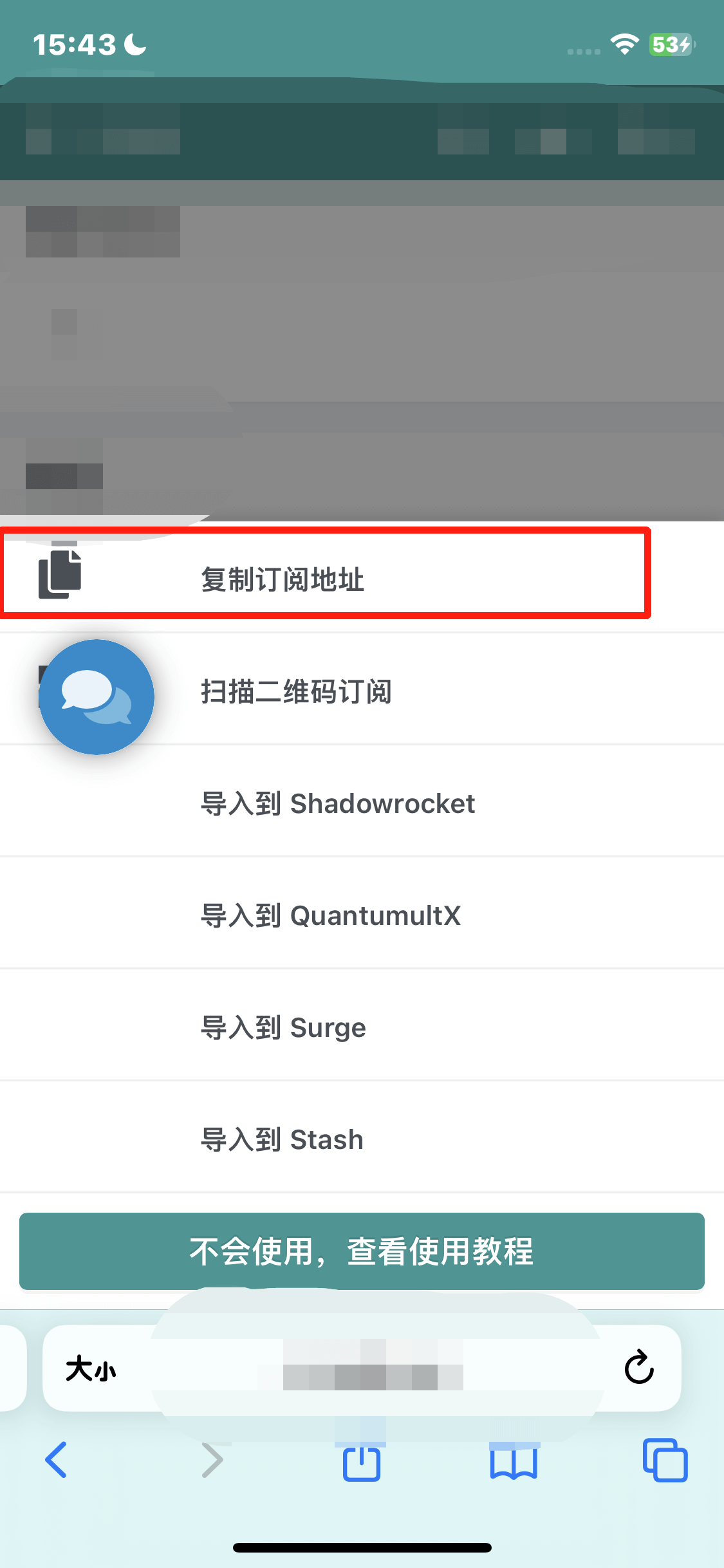
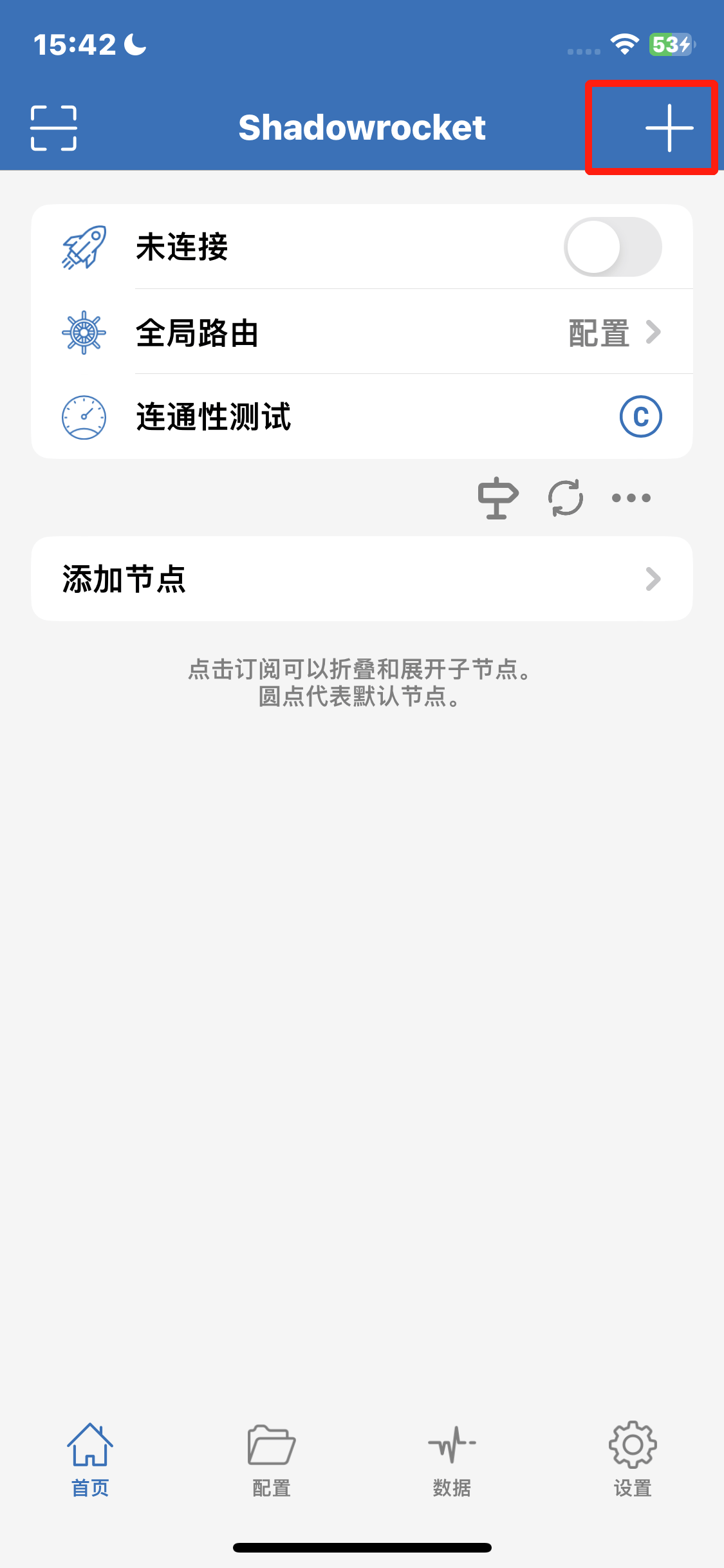
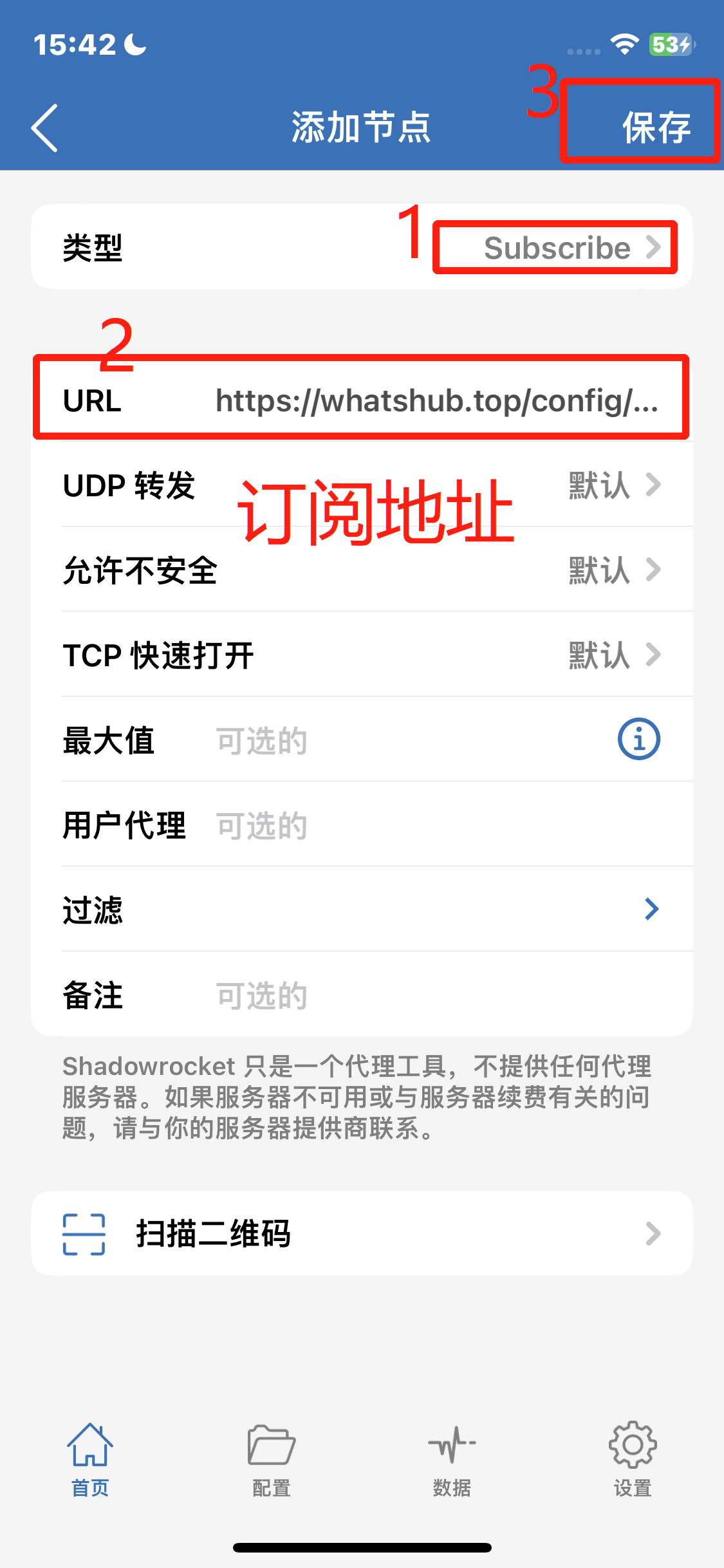
首先登陆你的机场网站,在机场网站的服务中找到导入节点的位置,找到【复制订阅地址】,订阅链接会被复制到粘贴板上。打开小火箭,点击右上角的加号,在【类型】处选择Subscribe,【URL】处填入复制好的订阅链接地址,点击右上角的【保存】即可成功导入。
 |
 |
 |
|
|---|
连接节点
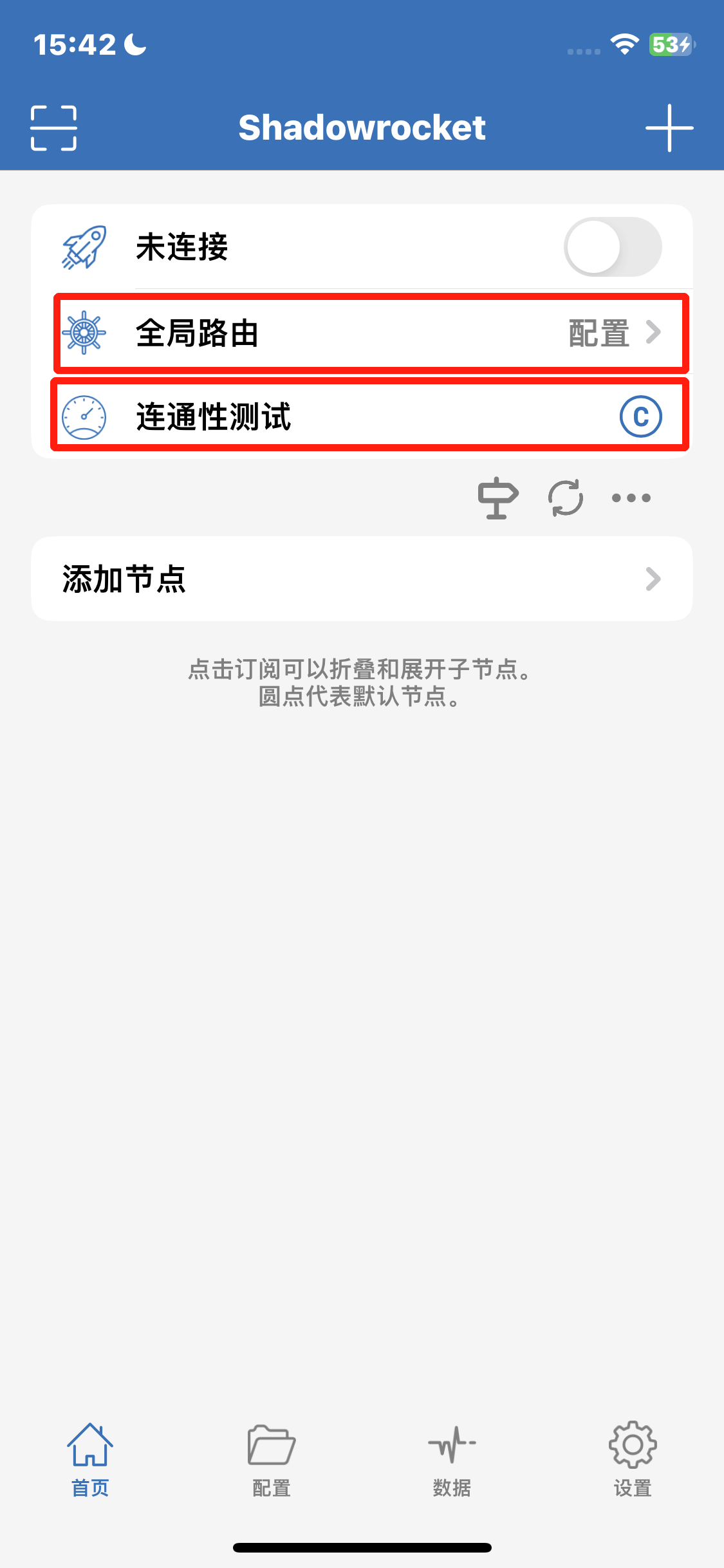
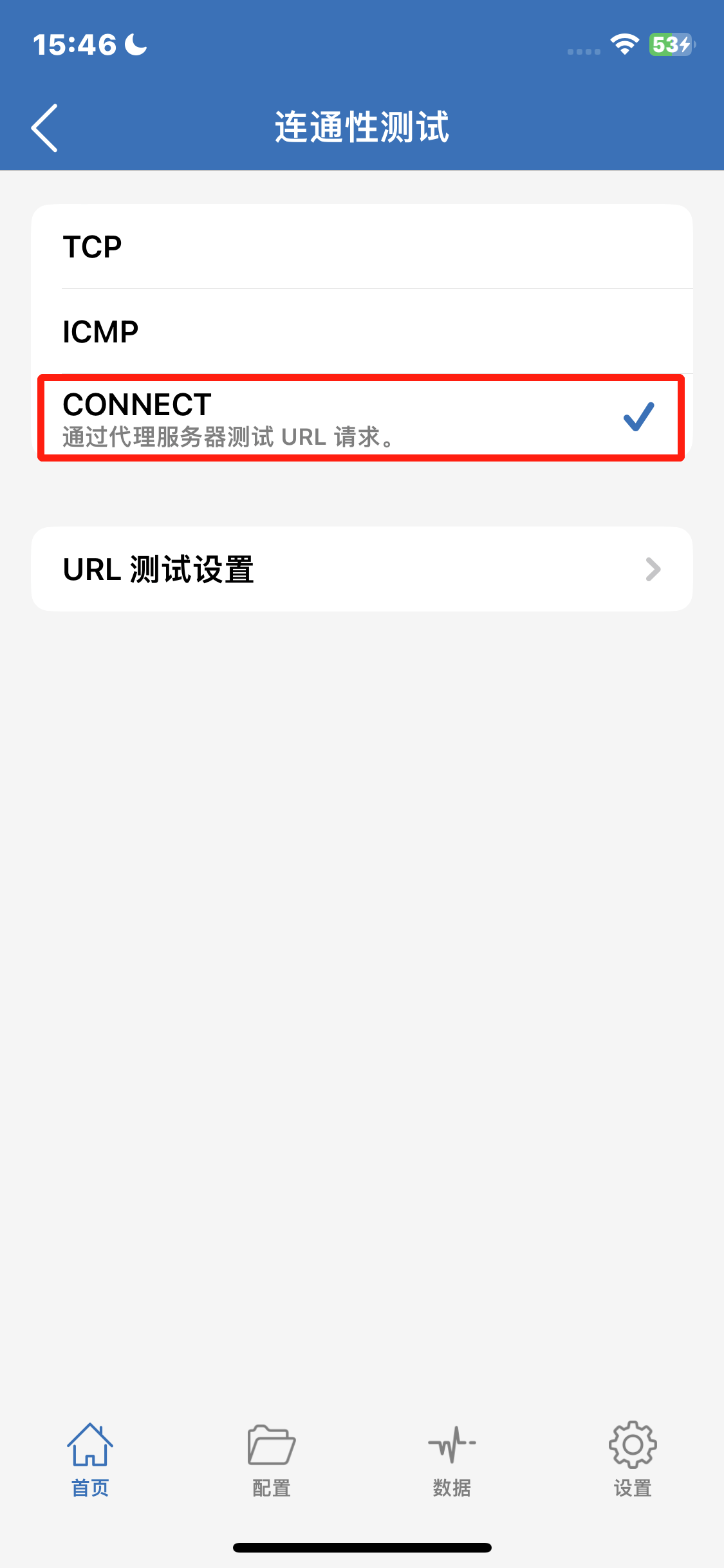
在确保所有节点已经导入之后,接下来需要检测结点的可用性(节点并不是一直有效,随时可能失联)。首先展开你导入的节点,确保可以看见所有节点。点击【连通性测试】右边的蓝色符号,将原来的TCP修改为CONNECT并返回,在主页点击【连通性测试】检查节点的连接状态。
 |
 |
|---|
在进行连通性测试后,节点后面会出现数字,该数字指的是节点的真连接延迟(也就是实际的网络质量,该值越小越好),当节点后显示timeout时就表示该节点无法正常使用,请切换带有延迟的节点。
点击某节点即代表选择某节点作为代理服务器,被选节点前面会出现一个曾色的点,这就表示节点已经被选中,可以进行连接。
【全局路由】处必须为配置,如无别的额外其需求请不要切换为其它选项,配置指的是网络流量跟随配置文件选择性代理,国内的不代理,国外的代理(该文件由Geosite和GeoIP决定)。随后点击开关就可以连接节点。
高级用法-添加配置
假如你有解锁Spotify或者各种相关需求,可以在配置文件中添加模块以获取额外的插件支持。相关的插件在以下网页有提供,请自行查看列表寻找适合自己的服务。
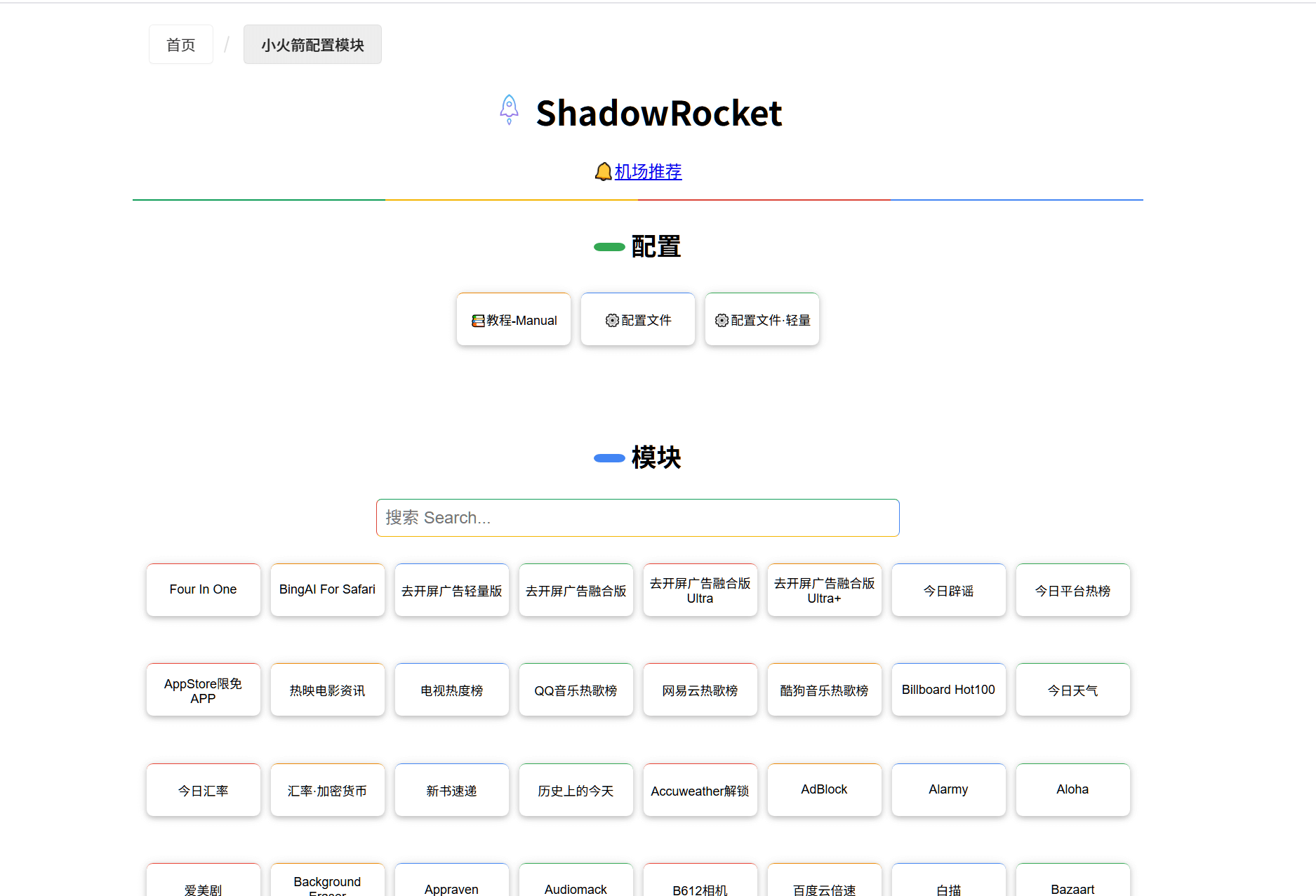
直接点击你需要的功能,网站或提示跳转到小火箭安装i相关功能,或者你可以到小火箭的【配置】界面手动添加或导入。

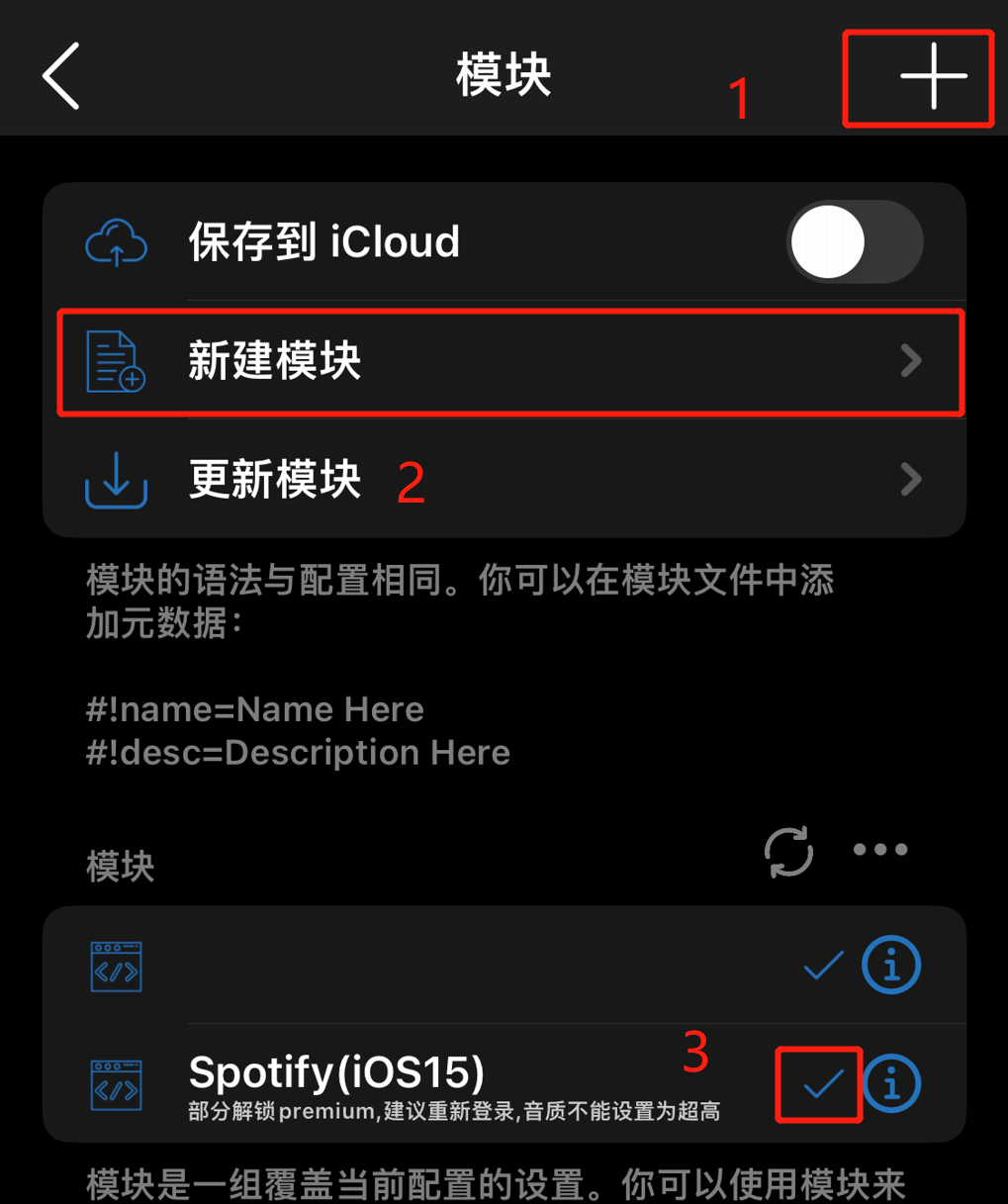
- 右上角的加号是通过连接添加模块的,假如你有某个模块的链接,可以通过该选项导入模块。
- 新建模块指的是你手动将模块的内容复制进去,和右上角的加号添加功能是一样的,一个需要联网下载一个不需要。
- 点击你已经下载或导入的模块,当模块后边有一个对勾的时候表明你的模块已经被应用到网路i流量中,也就是模块的开关,点击开启点击关闭。
主页的全局路由选项一定要设置为【配置】
连通性测试用以测试节点的状态,其测试的数字越小越好,timeout代表节点无法连接使用。假如你有自己的国家位置需求,请根据节点状态和自己的需求结合选择需要的节点。

节点选择好后,点击这里的开关连接节点即可。